Overview of Madrid’s Layout and Districts
Madrid, the vibrant capital of Spain, boasts a rich tapestry of history and culture reflected in its layout and districts. As one of Europe’s largest cities, it covers approximately 604.3 square kilometers, distinguished by its unique blend of modern and historical architecture. The city is predominantly organized into a circular layout with a central point, making navigational tools essential for both locals and tourists.

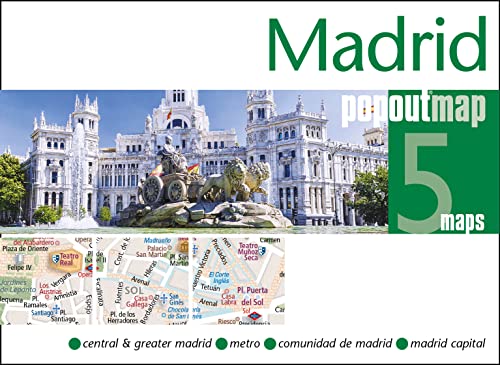
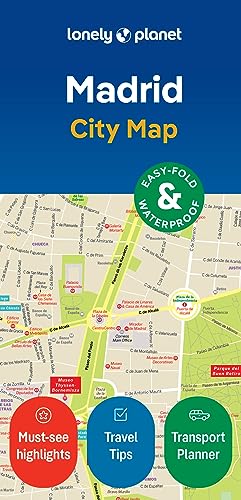



The heart of the city is marked by the renowned Puerta del Sol, a bustling square that serves as a hub for many of Madrid’s major routes. From here, visitors can easily access several districts, each offering a distinct character. Notable areas include Malasaña, known for its alternative scene, and La Latina, famous for its tapas bars. The Retiro Park, another landmark, provides a natural oasis within the urban landscape, illustrating how nature intermingles with city life.
One crucial aspect when exploring Madrid is understanding its administrative division into 21 districts, such as Salamanca and Chueca. Each district has its own cultural identity and attractions that contribute to the overall experience of the city. The layout encourages exploration with its well-connected public transport system, including metros and buses, ensuring maps are indispensable tools for navigation.
Different types of maps, whether digital or traditional, can enhance the exploration of Madrid’s districts, assisting users in identifying key attractions and routes. The geographical structure, combined with the city’s vibrant neighborhoods, highlights the importance of having reliable maps to navigate effectively, allowing residents and visitors alike to experience the full richness of Madrid.
Types of Maps Available for Madrid
When exploring the vibrant city of Madrid, it is essential to choose the right type of map to enhance your travel experience. Various maps are available, each catering to different needs and preferences. Understanding the unique features of each type will help you navigate the city more effectively.
Physical maps are often the most basic navigational tools for tourists. They provide a tangible way to explore the city and are especially useful for those who appreciate a traditional approach to navigation. These maps usually highlight key attractions, streets, and neighborhoods, allowing travelers to orient themselves easily without relying on technology. Furthermore, physical maps can be found at local tourist information centers and hotels.
On the other hand, digital map applications have gained immense popularity among modern travelers. Apps like Google Maps and Citymapper offer real-time navigation and are constantly updated to reflect changes in roads or public transport routes. Users can customize their routes based on their preferences, whether they prefer walking, driving, or taking public transport. Moreover, these apps often include features such as user reviews and nearby attractions, enhancing the exploration experience in Madrid.
For a focused approach, tourist maps are specifically designed to highlight attractions and landmarks within the city. These maps often include recommended walking routes, essential tourist information, and brief descriptions of key sites, making them ideal for first-time visitors. They can be obtained at tourist offices or in various guidebooks.
Finally, public transport maps are invaluable for those relying on Madrid’s extensive metro and bus systems. These maps detail transportation routes, stops, and connections, ensuring travelers can navigate the public transport network with ease. Whether you opt for a physical or digital format, understanding the types of maps available for Madrid will significantly enhance your exploration of this remarkable city.
When exploring a city as vibrant as Madrid, having access to reliable mapping tools and applications can significantly enhance the experience. Here, we present a curated list of recommended mapping tools and apps that are tailored specifically for navigating the streets of this Spanish capital.
1. Google Maps is perhaps the most recognized mapping application globally and for good reason. Its functionalities extend beyond basic navigation by providing detailed maps, public transport information, and user-generated reviews of restaurants and attractions. The user interface is intuitive, making it easy for travelers to pin locations and search for routes. Additionally, Google Maps offers offline capabilities; users can download maps and use them while avoiding data roaming charges.
2. Citymapper is another highly effective application, particularly for those relying on public transportation. This app stands out for its comprehensive mapping of Madrid’s extensive metro, bus, and train systems. Citymapper’s unique features include real-time updates on transport, estimated arrival times, and route alternatives, ensuring that travelers can navigate the city with ease and efficiency. Its straightforward interface makes it user-friendly for both locals and visitors.
3. Maps.me provides another excellent option for travelers looking for offline access. This application allows users to download detailed maps of Madrid directly to their device, which is particularly useful for those who may not have constant internet access. Maps.me offers a robust set of features including points of interest, hiking trails, and user-contributed content, all of which can be accessed without an internet connection.
User reviews consistently highlight the reliability and ease of use of these mapping tools, making them indispensable for anyone wishing to explore Madrid effectively. By integrating these apps into your travel routine, you can navigate the intricacies of the city with greater confidence and discover its many hidden gems.
Tips for Navigating Madrid Using City Maps
Navigating a vibrant city like Madrid can be a rewarding experience, and having an effective strategy for using city maps can enhance this journey significantly. Understanding how to read both physical and digital maps is the first step. Familiarize yourself with key symbols and legend used in city maps, as this will help you quickly identify important features such as parks, tourist attractions, and public transportation stops. Key landmarks can serve as reliable reference points to help determine your present location and your desired destination.
Madrid boasts an extensive public transport system that includes metro, trams, and buses. When using a city map, knowing how to locate metro stations and bus stops can streamline your travel. Look for the marked lines that indicate the different metro routes; color coding can assist in easily navigating between transfers. Meanwhile, for buses, it’s essential to identify the routes that connect your current location to the sites you wish to visit. Resources like the Madrid public transport website or dedicated mobile apps can enhance this process, offering real-time updates and routing.
Safety should also be a priority when navigating Madrid. Keep your map close and avoid displaying it in crowded areas to deter pickpockets. Additionally, ensure that your phone is charged if you are relying on a digital map, as you may need to reference it frequently. It’s advisable to download maps offline, especially in areas with spotty internet connectivity. Lastly, don’t hesitate to ask locals for directions; people in Madrid are generally friendly and willing to assist tourists. Combining map skills with local knowledge can lead to a more enriching exploration of the city.